Browse Your Local Archive
When you build your local database for each X account, Cyd saves your data in your Documents folder on your computer. For example, if your X username is cyd_social, your Cyd data will be stored in ~/Documents/Cyd/X/cyd_social.
This folder includes index.html which contains an archive website that you can use to browse your data locally. For the nerds out there, it also contains data.sqlite3 — the raw database, in SQLite3 format.
If you ever need to find your local archive, you can open Cyd, select your X account, and click the Browse Archive and Open Folder buttons in the right sidebar. These buttons won't appear until you build your local database for the first time.
Cyd's Archive Website
By clicking Browse Archive, or loading index.html in a web browser, you can browse the X data from your local database. For example, here's a screenshot of looking through tweets:
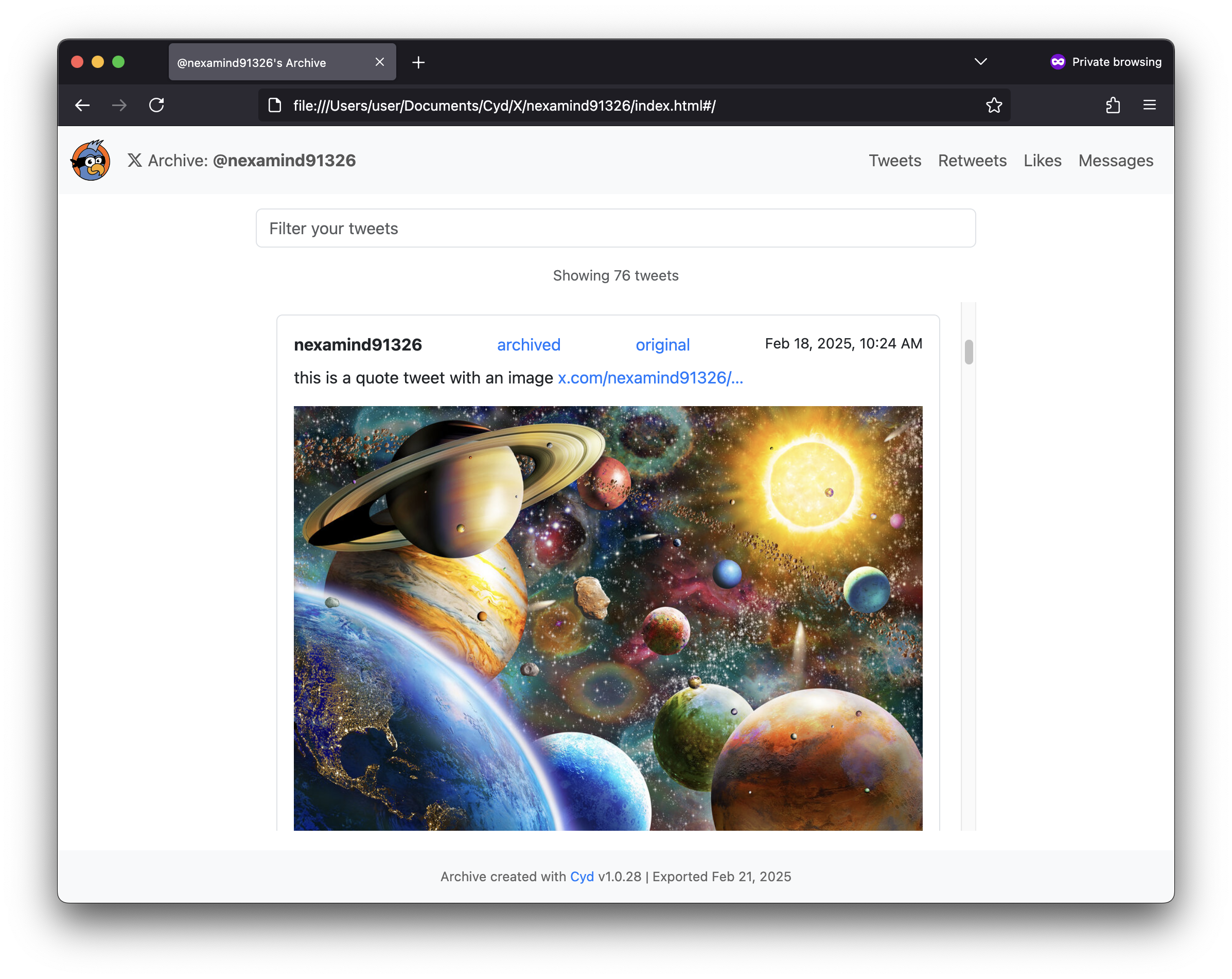
In the top-right of this website, there are navigation buttons for each type of data you have saved from your X accounts: tweets, retweets, likes, direct messages, and bookmarks.
You can filter your data using the filter input field at the top.
Each tweet contains the following information:
- The tweet itself: the username, date, and content of the tweet, including media, as well as number of retweets and likes.
- The date you saved the tweet, and the date you deleted it (if you deleted it with Cyd).
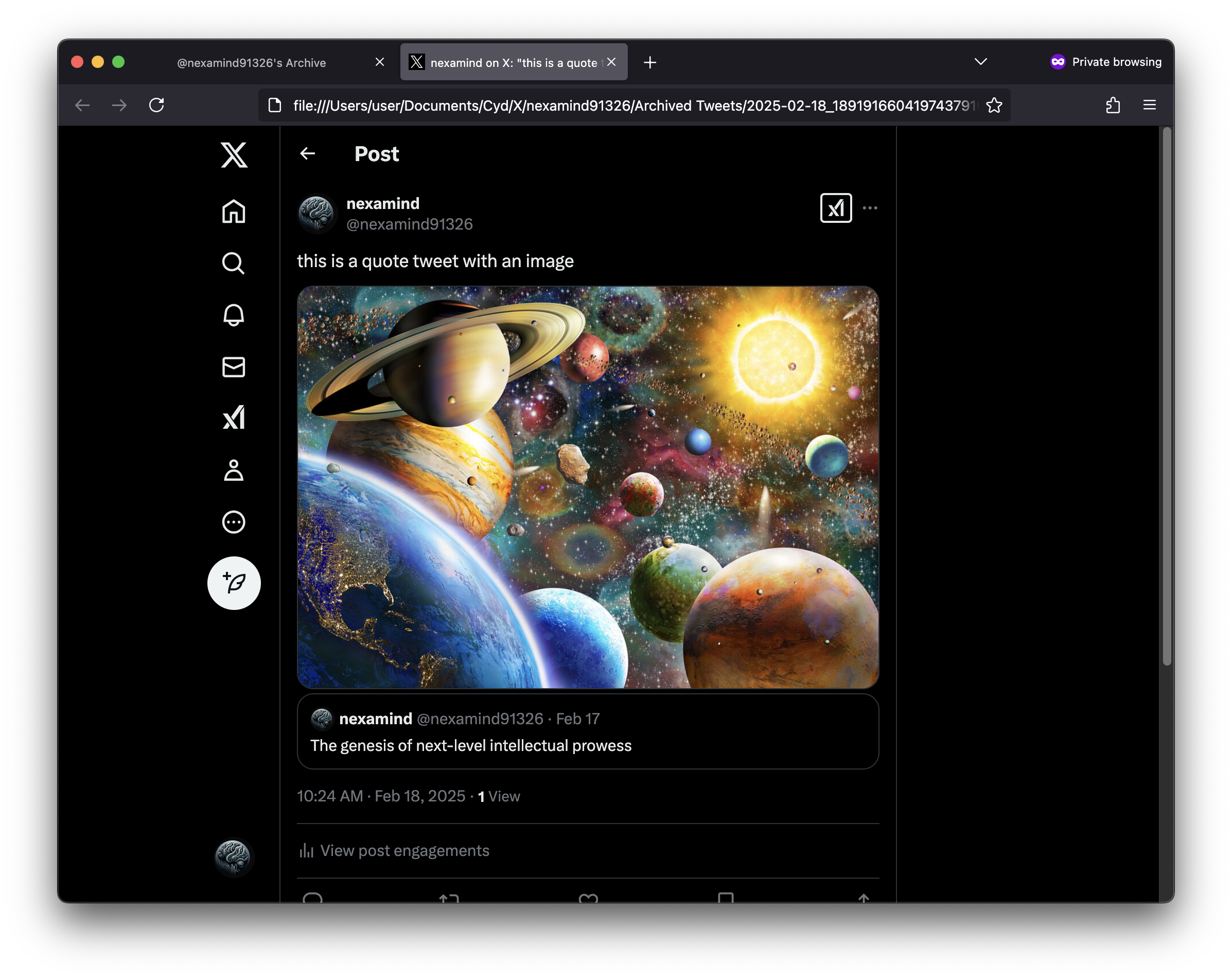
- If you used Cyd to save an archived HTML version of the tweet, a link called archived to this local HTML file.
- A link called original to the original URL of the tweet, hosted at x.com.
If you saved an archived HTML version of the tweet, here's what it looks like:
Within your local archive, if you saved direct messages, you can browse and filter those as well.
Exploring the Files
Here are the files and folders that Cyd creates when you build your local database:
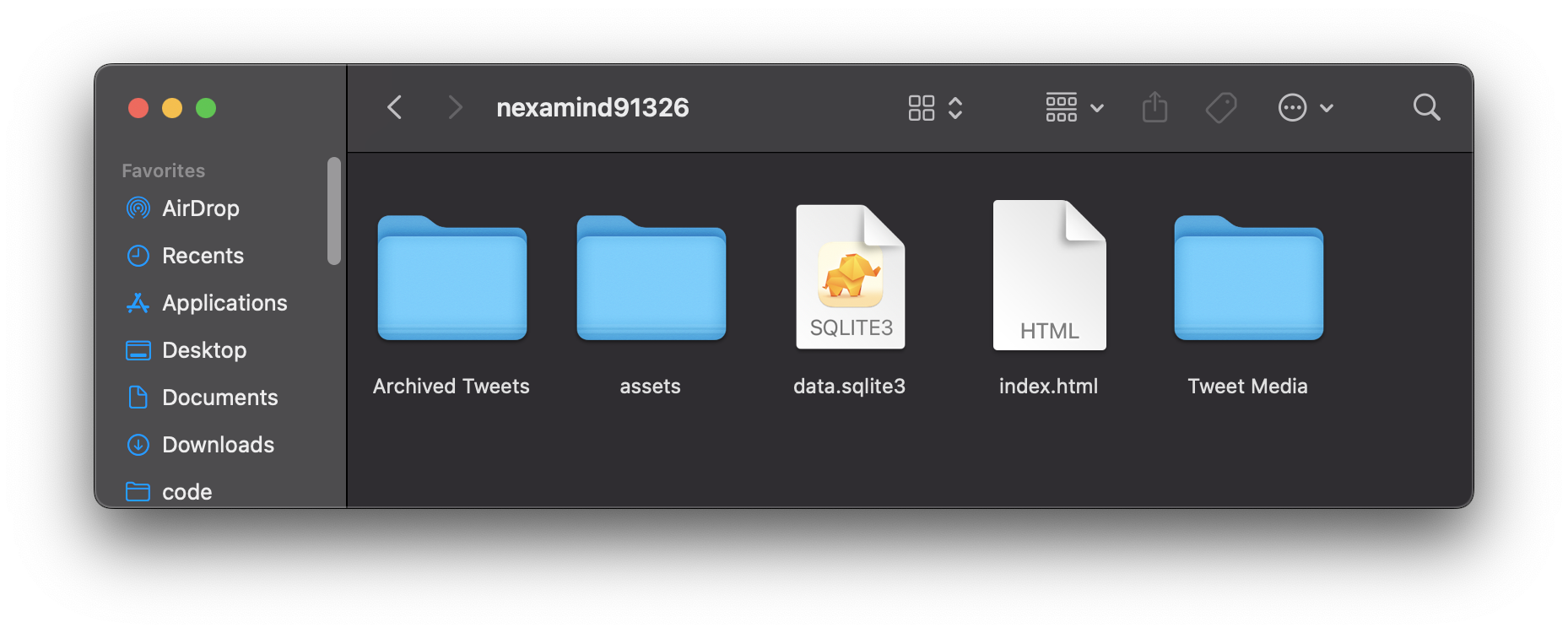
Archived Tweets: If you saved archived HTML versions of your tweets, this folder contains a different HTML file for each tweet, named after the date of the tweet and its tweet ID.assets: Web assets used by your local archive website. This includesassets/archive.js, which contains a copy of your X data in JSON format.data.sqlite3: A copy of your X data, in SQLite3 format.index.html: Your local archive website. Open this in a web browser to browse your archive website.Tweet Media: Images and videos embedded in your tweets, retweets, likes, and bookmarks.